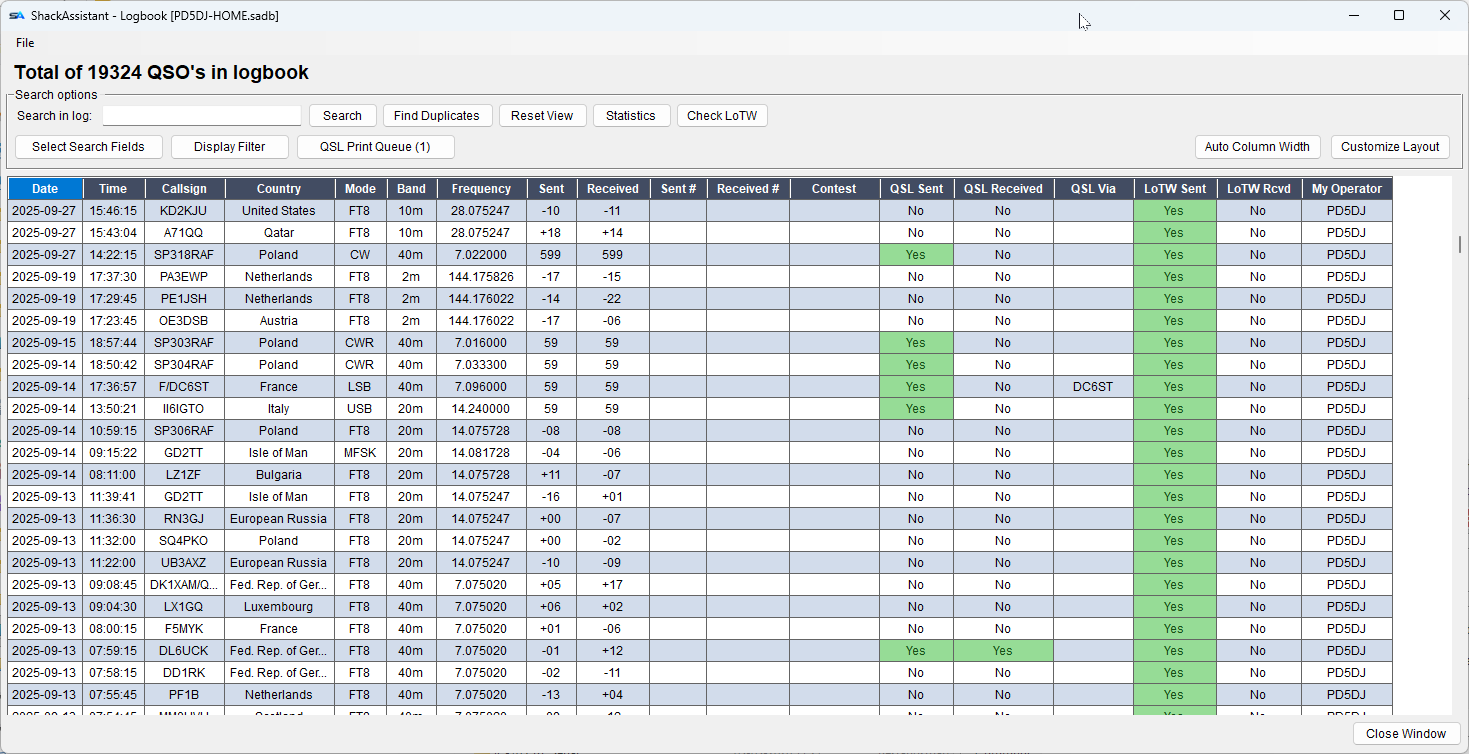
Search in log
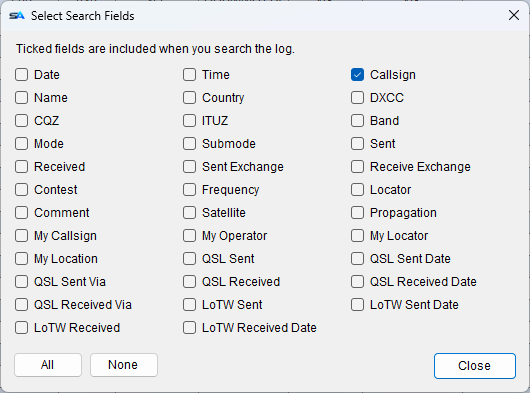
Type in the search box and the list narrows while you type. Click Select Search Fields to
choose which fields it searches - callsign, name, comment and 31 more.
Tick only the fields you need: then a search for PA will not also find every QSO with
Japan in the country field.
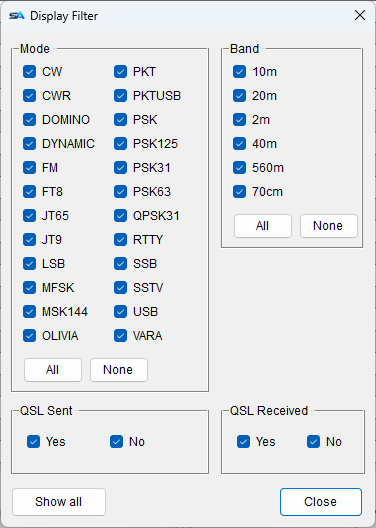
Display Filter
Hides rows by mode, by band, by QSL sent or received, and by whether a QSO is a
contest QSO. Nothing in the log changes - it only changes what you see.
- The filter window can stay open; each tick works at once.
- Contest: Yes / No - two tick boxes rather than one, so you can isolate your
contest QSOs as well as hide them. A QSO counts as a contest QSO if any one of six
fields is filled: the contest name, the sent or received exchange, the ARRL section, the
transmitter ID or the station name.
What is deliberately left out matters more: the state, your own section, the CQ and
ITU zones and the radio number are all filled on ordinary QSOs too, so counting them would
make every QSO a contest QSO and the filter would say nothing.
- Show all clears the filter.
Reset View
Clears the search text and the filter, and closes the filter window, so you see the whole log
again.