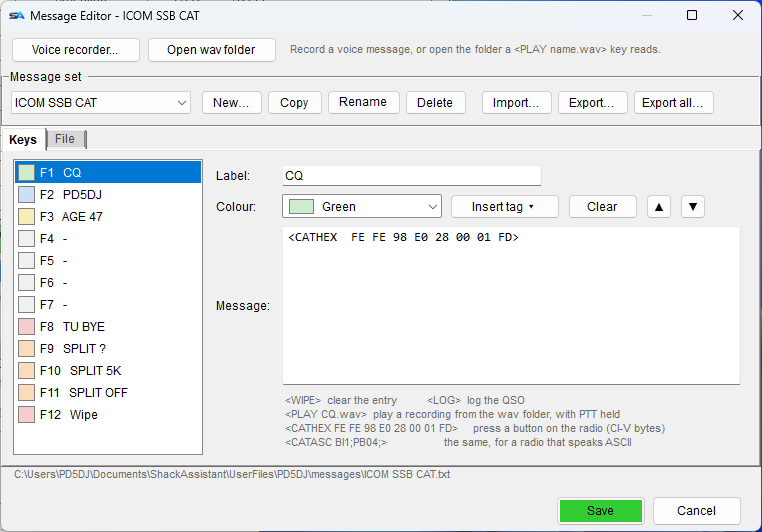
Click Voice recorder… at the top of the Message Editor. Record your CQ and your
exchange, clean them up and save them - all in one window.
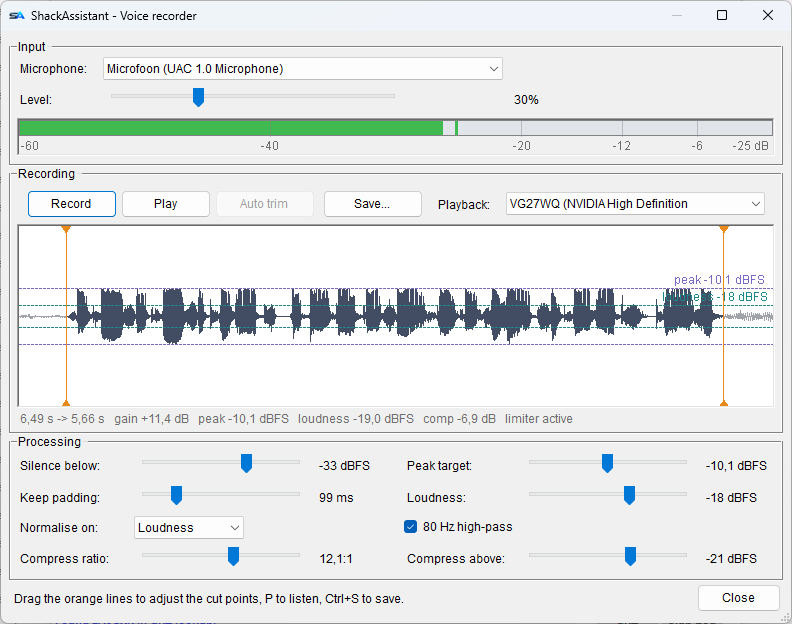
Input
- Pick your microphone and set its level. Keep the peaks below the top of the meter, so
the recording does not clip (distort).
Recording
- R records, P plays, Esc stops, Ctrl+S
saves.
- Playback has its own sound card, so you can listen back on your speakers. It never goes
on the air.
Processing - four sliders, and the waveform redraws under each
| Silence below / Keep padding |
What counts as silence, and how much of it to keep at the start and end. Auto trim
finds where your speech starts and stops. Drag the two orange lines to set it by hand;
moving either slider switches back to auto trim. |
| Peak target / Loudness |
Sets the level, by peak or by loudness, to a target in dBFS (0 is the loudest
possible). Every message then comes out equally loud, however close you sat to the
microphone. |
| Compression (ratio, threshold) |
Brings the loud parts down so the whole message can come up: more punch on SSB. Ratio 1:1
is off. |
| 80 Hz high-pass | Removes rumble and desk thumps. |
The line under the waveform shows what was done.
Saving
Save asks where, starting in your own WAV folder. Afterwards it tells you which tag plays
the file - or that you need the full path, if you saved it somewhere else.