ShackAssistant
ShackAssistant — your ham radio workflow

More than a logbook.
A complete solution.

My goal is to keep everything as simple as possible - and still put down a tool that is truly powerful. I gathered the best ideas from the ham radio world and brought them together in this one tool.

Björn Pasteuning, PA5DJ

A station log for Windows that also does what you would otherwise need other programs for: rig control, the DX cluster, QSL printing, CW and RTTY, and contests.

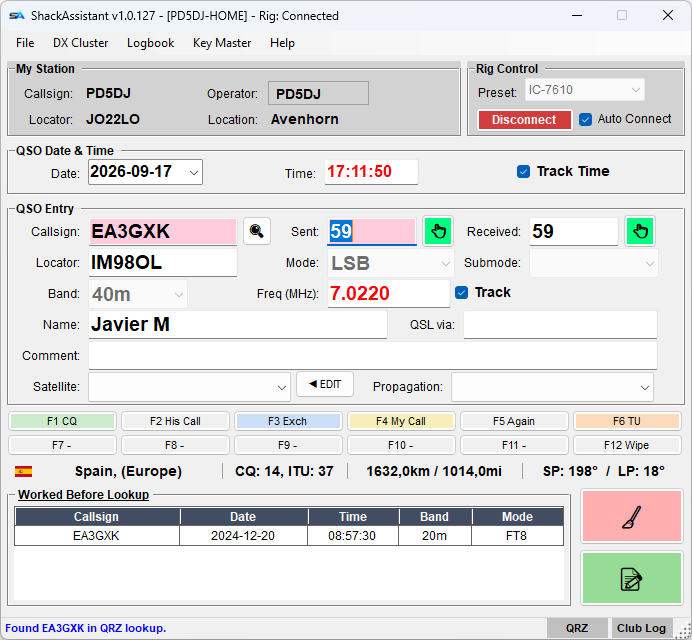
The ShackAssistant main window: station, QSO entry, country information and the worked-before list
The main window. Type a call and you see the country, distance and heading, and every earlier QSO with that station.
What it does

One program on the desk instead of four

All of this is in one program and works on the same log. Click a card to read more.

The idea

Everything you need at the desk - and nothing you do not

All the good things of logging and operating in one place - and only what you really need. The screen stays compact and easy to take in, with as few windows and clicks as possible between you and the next QSO.

The successor to MiniBook. Your MiniBook logbooks come along: open a .mbk with File → Load logbook, or import an ADIF export from MiniBook. See coming from MiniBook.
Key Master

CW and RTTY without a second program

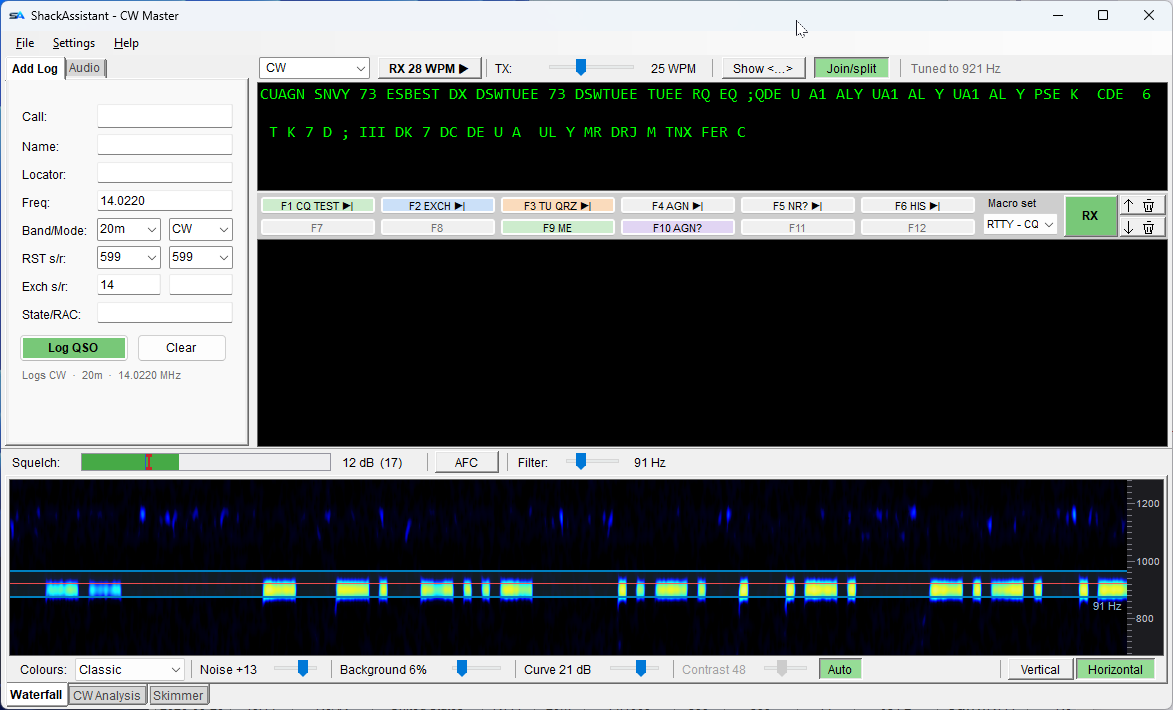
Click a trace in the waterfall and the decoder follows it. Right-click a word to put it in the log. Type ahead while it sends. Twelve macro keys on F1–F12, and a quick log that always logs the right mode. Four modes for the four ways a radio is wired, and a waterfall that can stand or lie down the way CW Skimmer draws it.

More about Key Master

Key Master in CW: quick log, received text, macro keys and the waterfall
Key Master in CW. Received text above, the band below; the red line is where the decoder listens.
Ready when you are
One installer, Hamlib and the country data included. A setup wizard makes your first logbook. Your logbooks and settings survive every update.
⬇ Download